The Qobuz that Claude Code Built
A self-hosted hi-res music manager — 6,980 lines of Python, 408 KB of vanilla JS, zero frameworks, and one very patient AI.
- projects
- claude-code
- music
- python
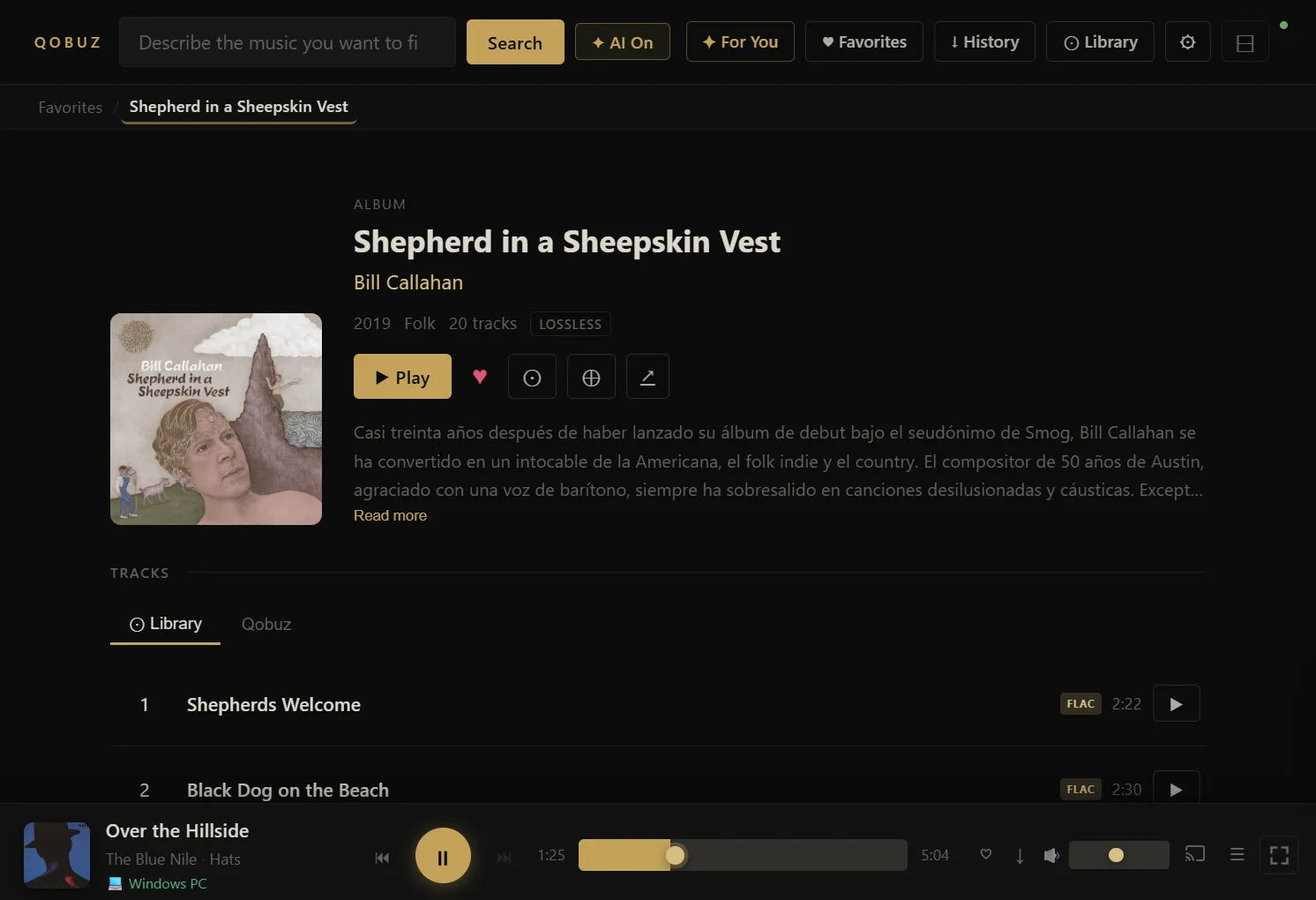
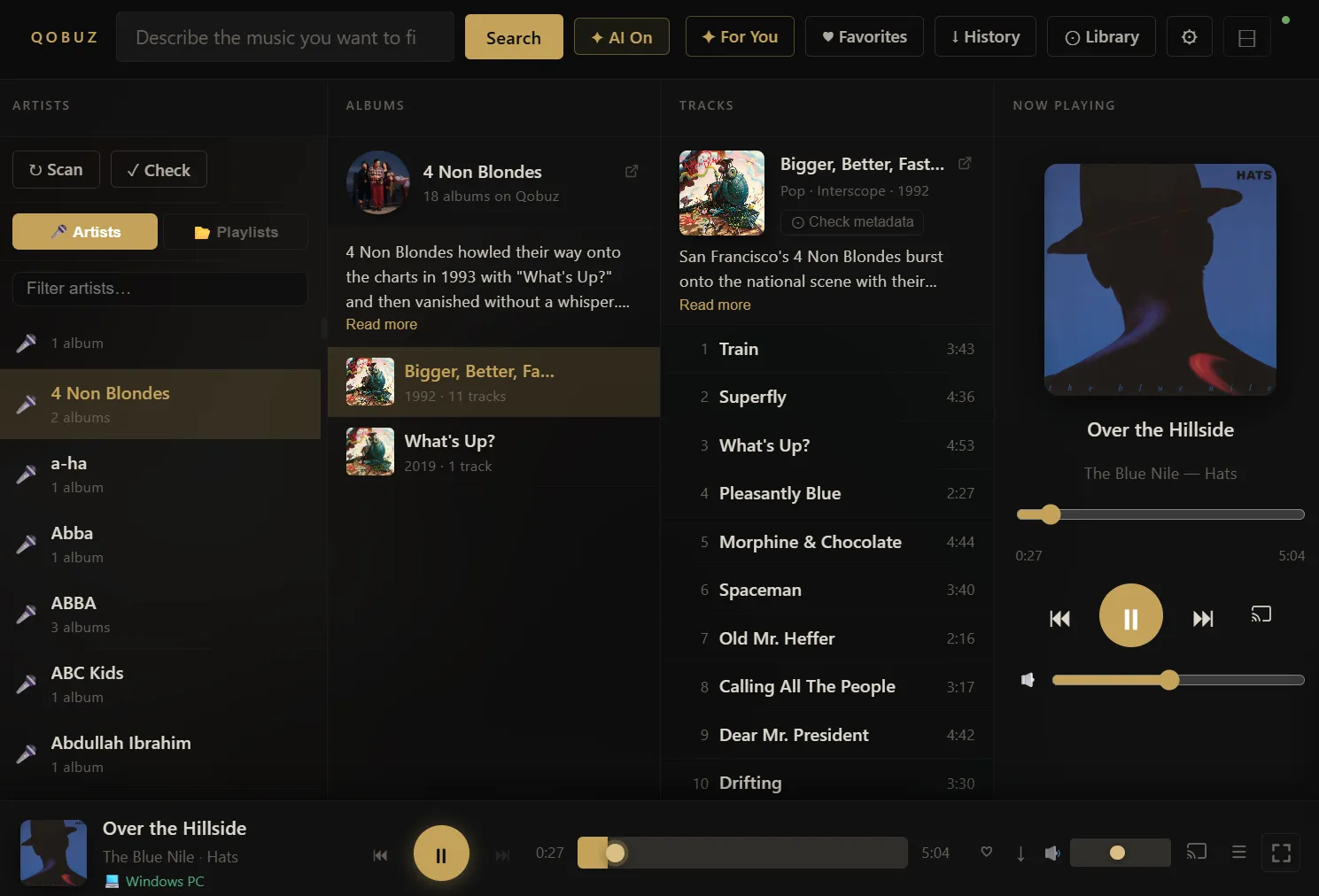
Qobuz Hi-Res Music Manager is a self-hosted web application built for audiophiles who want full control over their high-resolution music collection. It connects to the Qobuz streaming service to search, organize, and play lossless audio — up to 24-bit/192kHz FLAC — all from a sleek, dark-themed interface.
What It Does
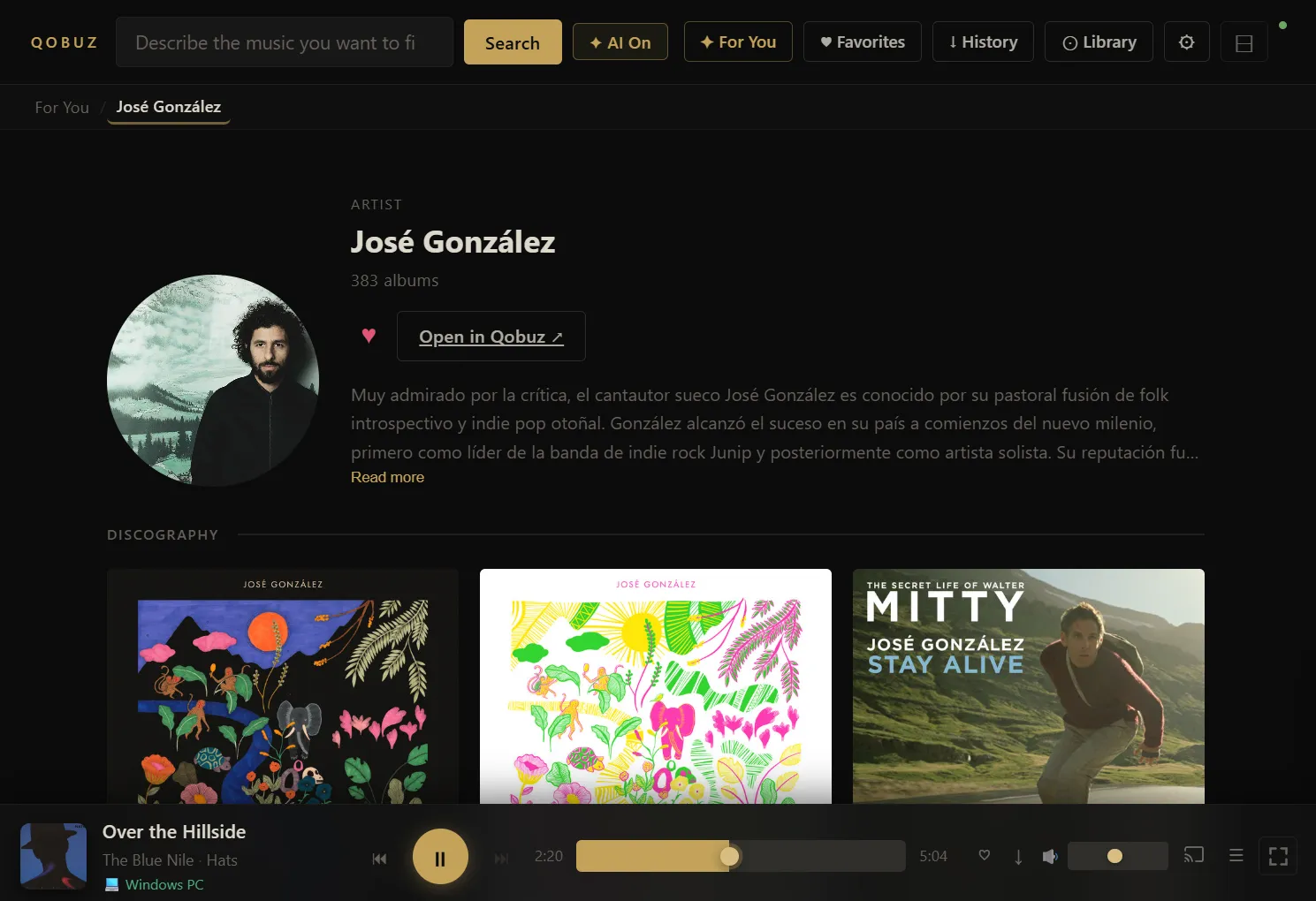
At its core, the app is an all-in-one music management hub: search Qobuz’s catalog and automatically organize local media files into a local library with proper metadata, cover art, and folder structure.
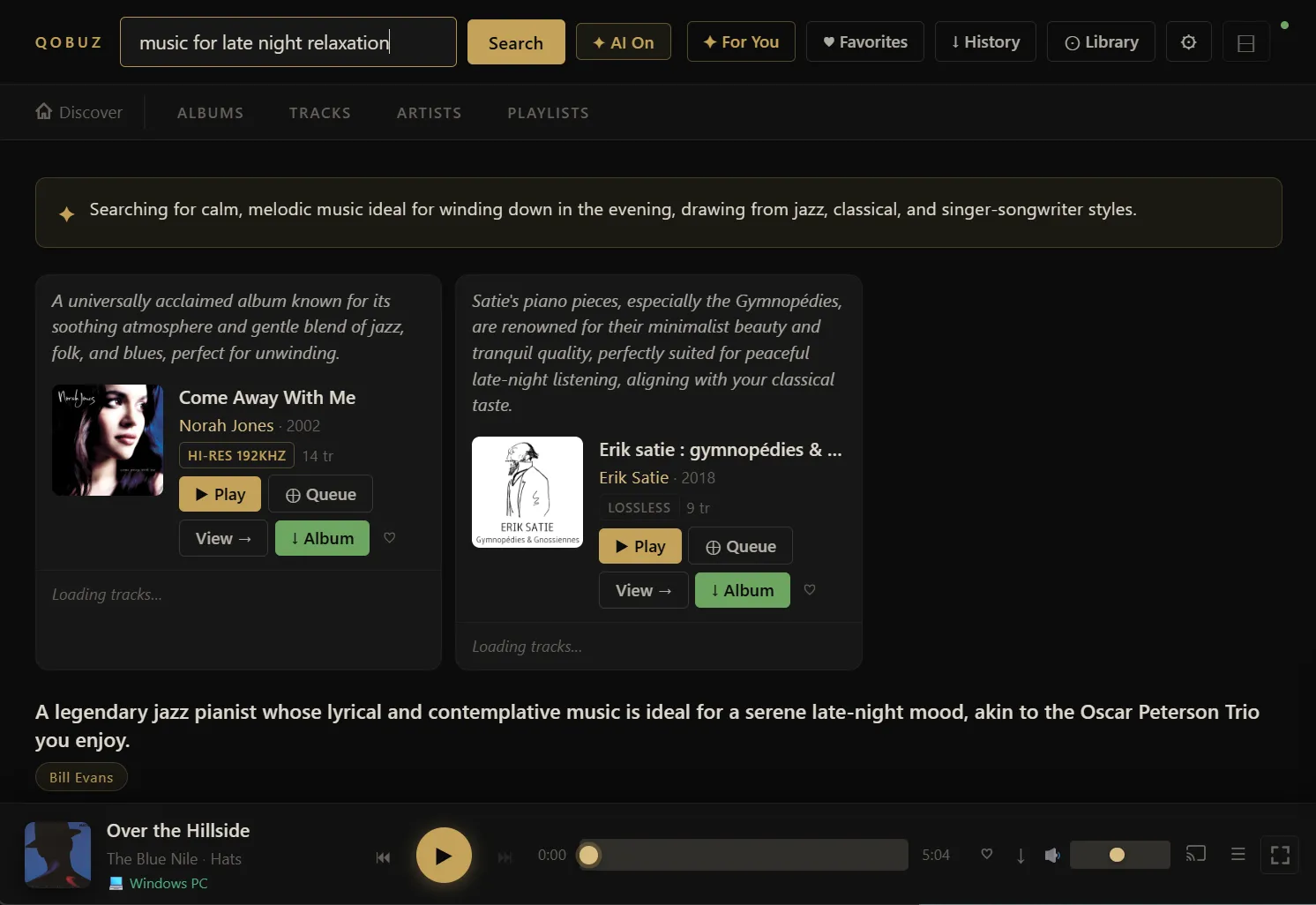
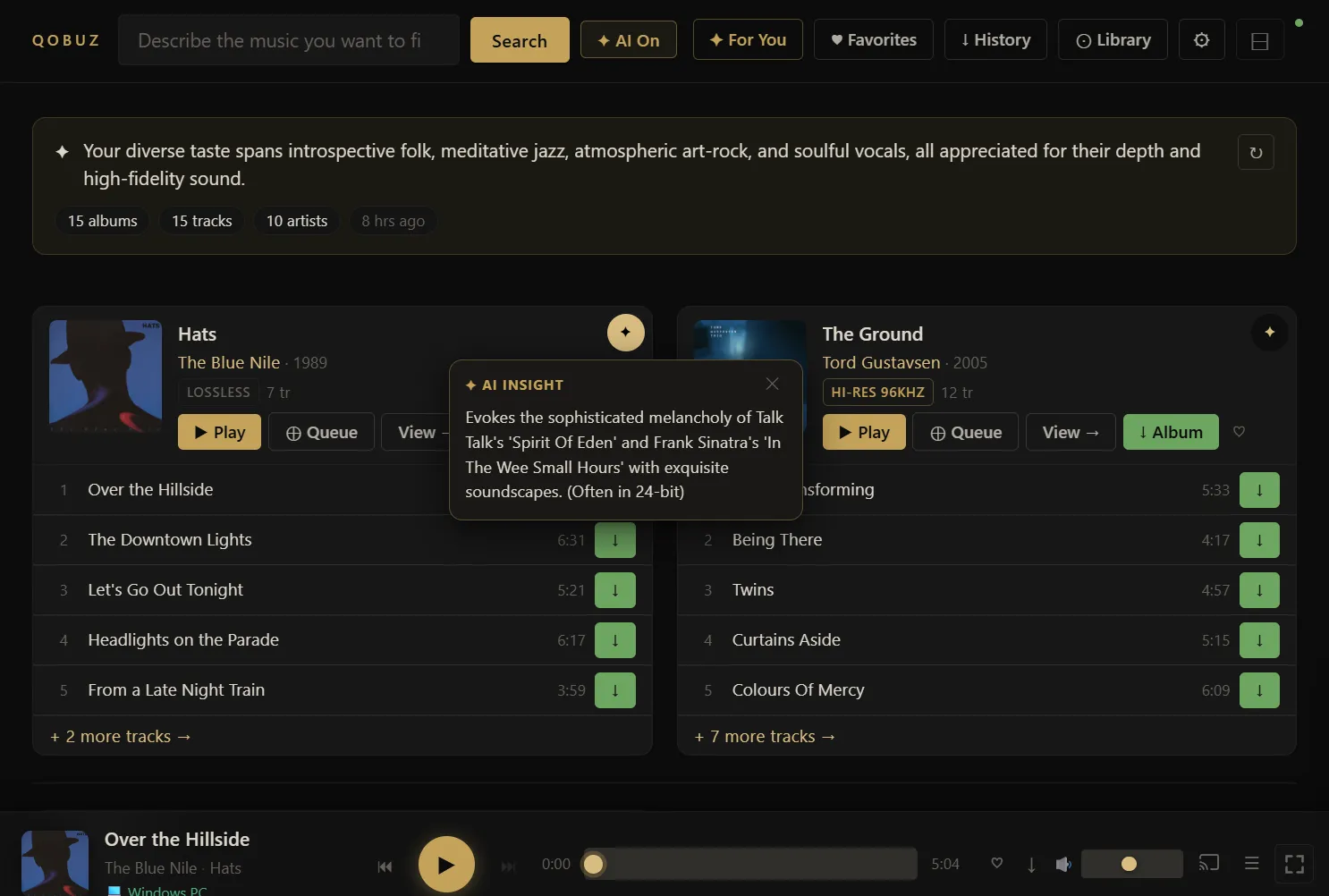
AI-Powered Discovery — An optional Google Gemini integration lets users search for music using natural language (“dreamy 80s synth-pop with female vocals”) and receive personalized album recommendations based on their favorites.
Multi-Room Casting — Stream to AirPlay 2 speakers, Volumio devices, or manually paired endpoints across your home network, all controlled from the browser.
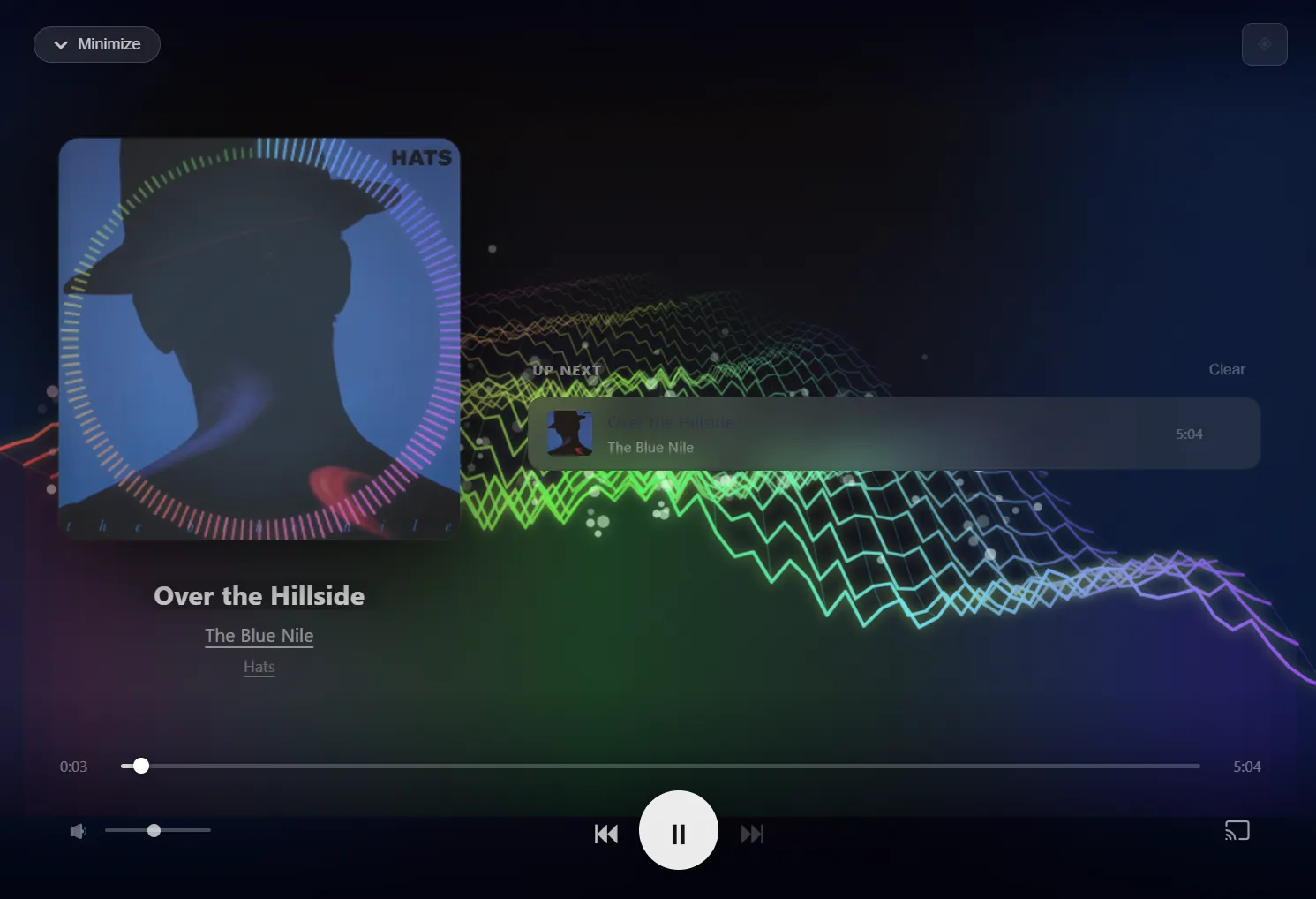
Real-Time Visualizers — Two canvas-based audio visualizers: a frequency-mapped blob analyzer and a 3D aurora terrain that morphs with the bass. Both are built with the Web Audio API.
By the Numbers
| Stat | Value |
|---|---|
| API endpoints | 74 |
Backend (app.py) | 6,980 lines in a single file |
Frontend (index.html) | 408 KB — the entire SPA in one file, no build step |
| External frameworks | Zero (vanilla JS + CSS, no React/Vue/Angular) |
| Database | SQLite with 2 tables |
| In-memory caches | 600+ entries across albums, artists, and AI results |
| Supported cast protocols | AirPlay 2, Volumio, manual HTTP |
Tech Stack
Python 3.13 + Flask on the backend, with vanilla HTML/CSS/JS on the frontend — no bundler, no framework, no build step. Just run ./run.sh and the browser opens. The entire app is two files: one Python file and one HTML file.
Notable dependencies include pyatv for AirPlay 2 streaming, zeroconf for network device discovery, mutagen for audio tag management, and google-genai for AI features.
What Makes It Interesting
Zero-framework frontend — 408 KB of hand-written HTML/CSS/JS powers a fully responsive SPA with mobile bottom-nav, real-time progress tracking, and 3D canvas visualizations.
Monolithic by design — The entire backend is a single 6,980-line Python file — no microservices, no ORM, no async framework — yet it handles background scheduling, device discovery, and multi-client playback coordination.
AI circuit breaker — Gemini errors trigger a 5-minute backoff to prevent log spam — a production-grade resilience pattern in a personal project.
Smart deduplication — Case-insensitive artist matching merges variants like “K.D. lang” and “k.d. lang” automatically.
Fully offline-capable — No CDN dependencies; the entire UI works without internet once loaded.